Efficient order management is a critical component of running a successful WooCommerce store. As your business grows, so does the need to handle large volumes of customer orders quickly and accurately. One of the most time-consuming tasks store owners face is extracting the right order data at the right time. Whether you need to prepare a sales report, share order details with your logistics partner, or analyze payment trends, filtering and exporting WooCommerce orders by status, date, or payment method becomes essential.
WooCommerce offers basic export capabilities, but they rarely meet the needs of stores dealing with thousands of orders or custom workflows. This is where the Advanced Order Export for WooCommerce plugin by AlgolPlus provides a robust and scalable solution. Designed for store owners, accountants, warehouse managers, and developers, the plugin enables deep customization of exports, giving you the flexibility to extract only the data that matters to your operation.
Why Precise Filtering Makes a Difference
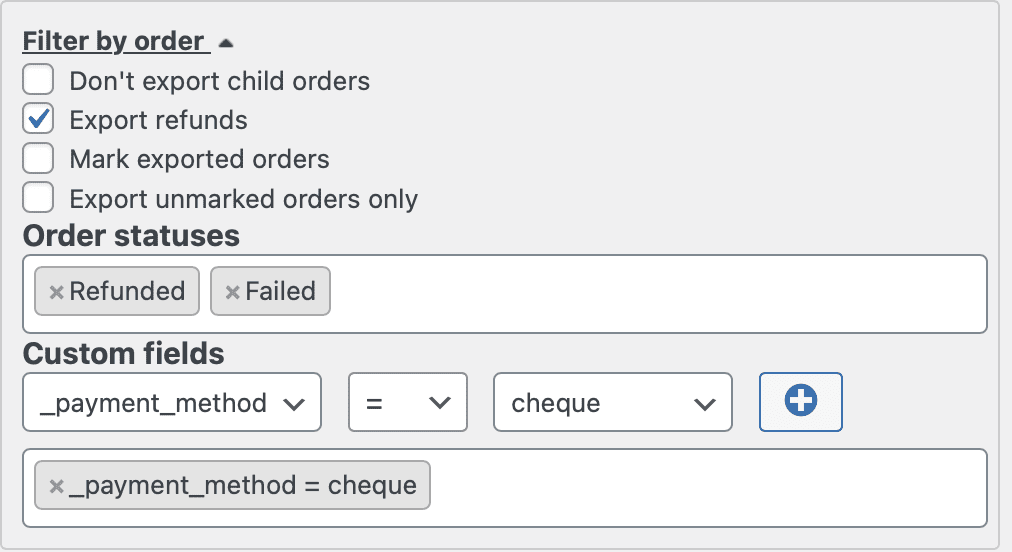
In WooCommerce, not every order carries equal importance. You might want to export only completed orders for invoicing, or filter out pending orders when preparing shipment data. Similarly, when handling refund requests, failed transactions, or subscription renewals, exporting orders by payment status or gateway becomes a necessary part of your workflow. With the ability to filter by date range, you can also generate time-sensitive reports for monthly sales reviews or tax calculations.
Using the Advanced Order Export plugin, you gain access to a powerful filtering engine that supports these use cases and more. You can select specific order statuses like completed, pending, or failed. You can narrow results to a custom date range, whether it’s today’s orders or an entire quarter’s worth. Additionally, you can filter by payment methods such as credit card, PayPal, or bank transfer, allowing for detailed financial breakdowns or payment gateway reconciliation.
Automating Exports to Save Time and Reduce Errors
What sets this plugin apart is not only its ability to filter but to schedule and automate exports. Once your filters are set, you can define export jobs that run on a fixed schedule or are triggered by order status changes. For instance, whenever an order moves to “processing,” it can automatically be included in a real-time export sent to your warehouse team. Or, each Friday, you might schedule a report of all orders paid via PayPal within the past week. This automation ensures that your data is always current and eliminates the need for manual intervention.
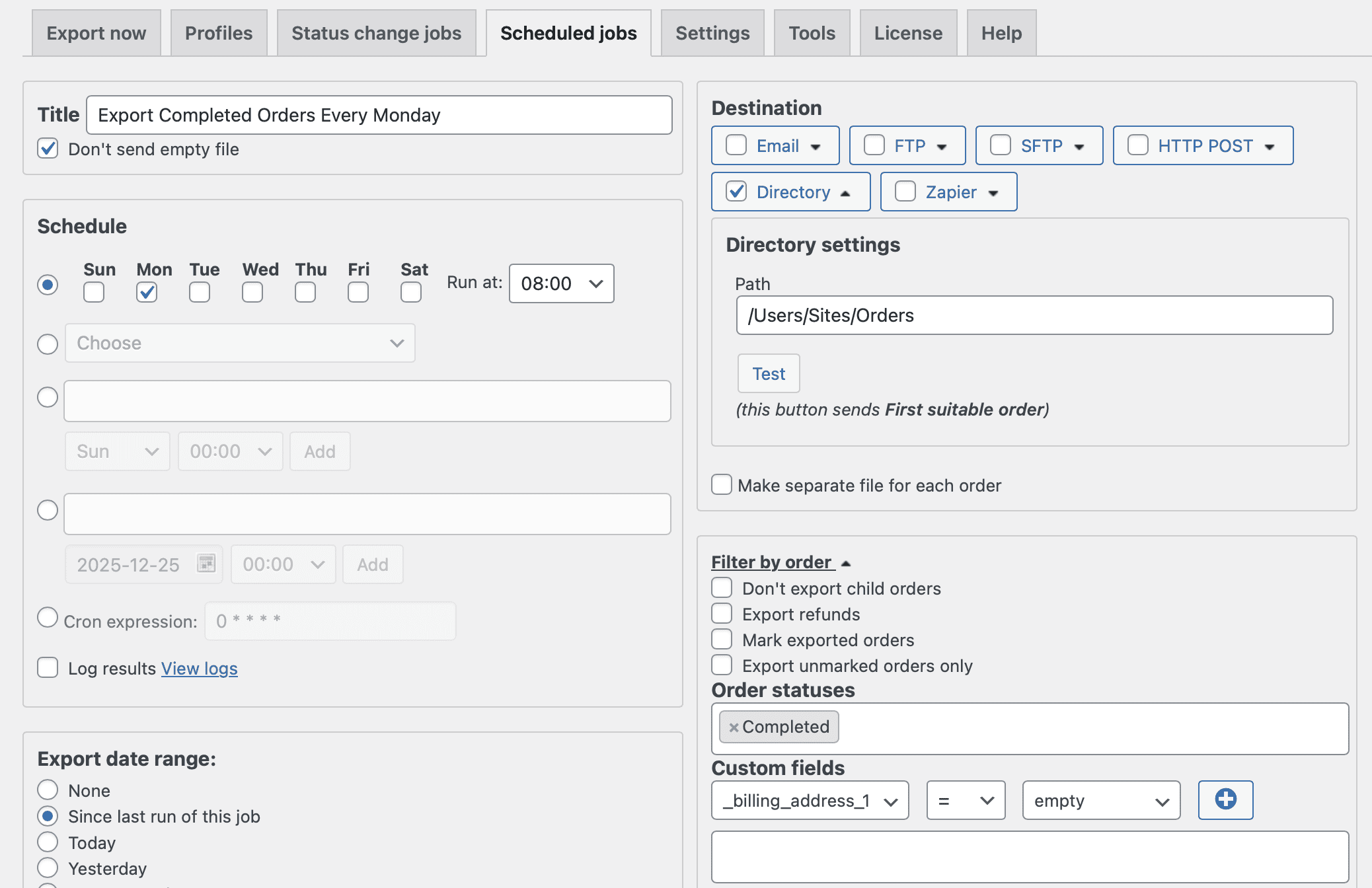
You can also send the filtered exports directly to destinations like email addresses, FTP servers, or third-party services via webhooks or Zapier. This is especially valuable for businesses with external teams or integrated systems that rely on real-time order data for fulfillment, billing, or analysis.
Designed for Flexibility and Custom Business Logic
AlgolPlus has engineered this plugin to support a wide range of eCommerce scenarios. Whether you’re exporting WooCommerce orders with custom fields, managing international orders, or filtering by shipping methods or product types, the plugin adapts to your business model. Its user-friendly interface allows even non-technical users to build complex export rules, while developers benefit from compatibility with custom code and integration points.
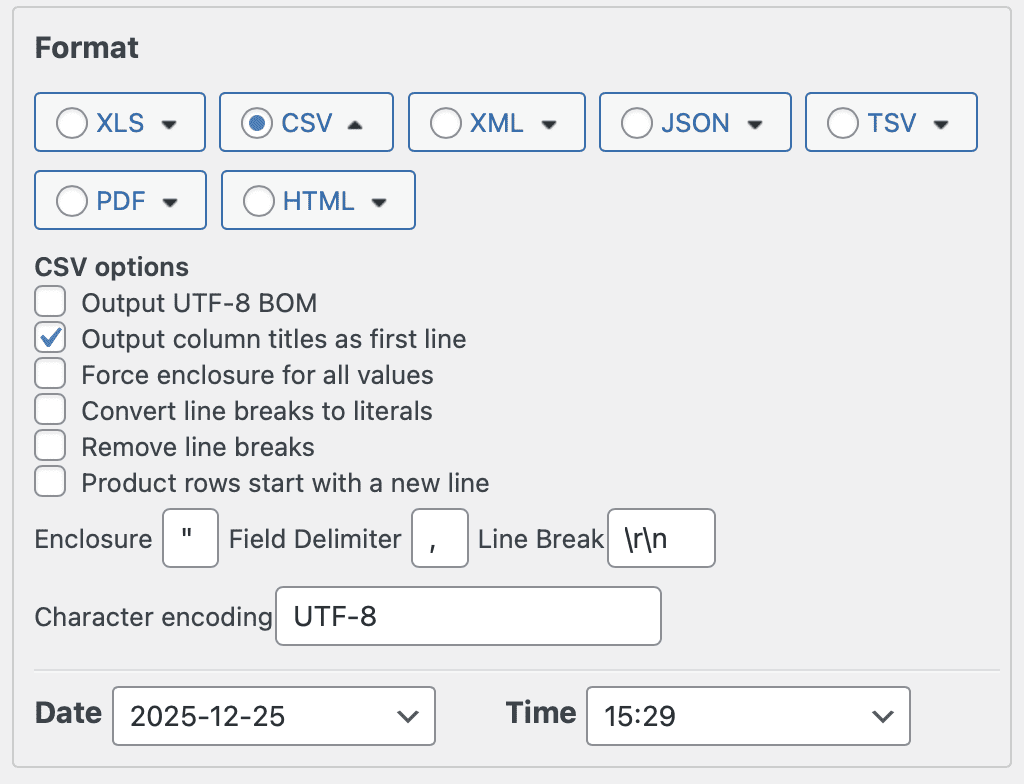
For businesses that rely on structured data, the ability to export orders in multiple formats like CSV, Excel, XML, and JSON ensures compatibility with CRMs, ERPs, and accounting software. You’re not limited to rigid export templates – instead, you can tailor every column, format, and rule to fit your specific operational needs.
Turning Export Data into Business Value
When you can quickly export WooCommerce orders by status, date, or payment method, you gain more than just efficiency. You get better insights, faster response times, and stronger alignment between departments. Your support team gets the data they need to resolve issues, your finance team has the numbers for accurate accounting, and your logistics partners always have up-to-date delivery instructions.
By using Advanced Order Export for WooCommerce, you turn raw data into actionable intelligence while reducing the risk of human error. Whether you run a small niche store or a multi-channel enterprise, this plugin empowers your team to move faster, work smarter, and serve customers more effectively.
In the ever-evolving world of eCommerce, control over your data is not a luxury – it’s a necessity. With this plugin, you get exactly that.